MCP server
How AI agents use your secrets through enveigh's MCP server: redacted by default, per-client scoped, audited, with an opt-in reveal.
enveigh-mcp is a stdio JSON-RPC MCP server that proxies to the running app's broker. It's
how Claude Code, Cursor, Codex, Windsurf, Gemini CLI, and friends use your secrets, without
the model ever receiving a plaintext value in the default configuration.
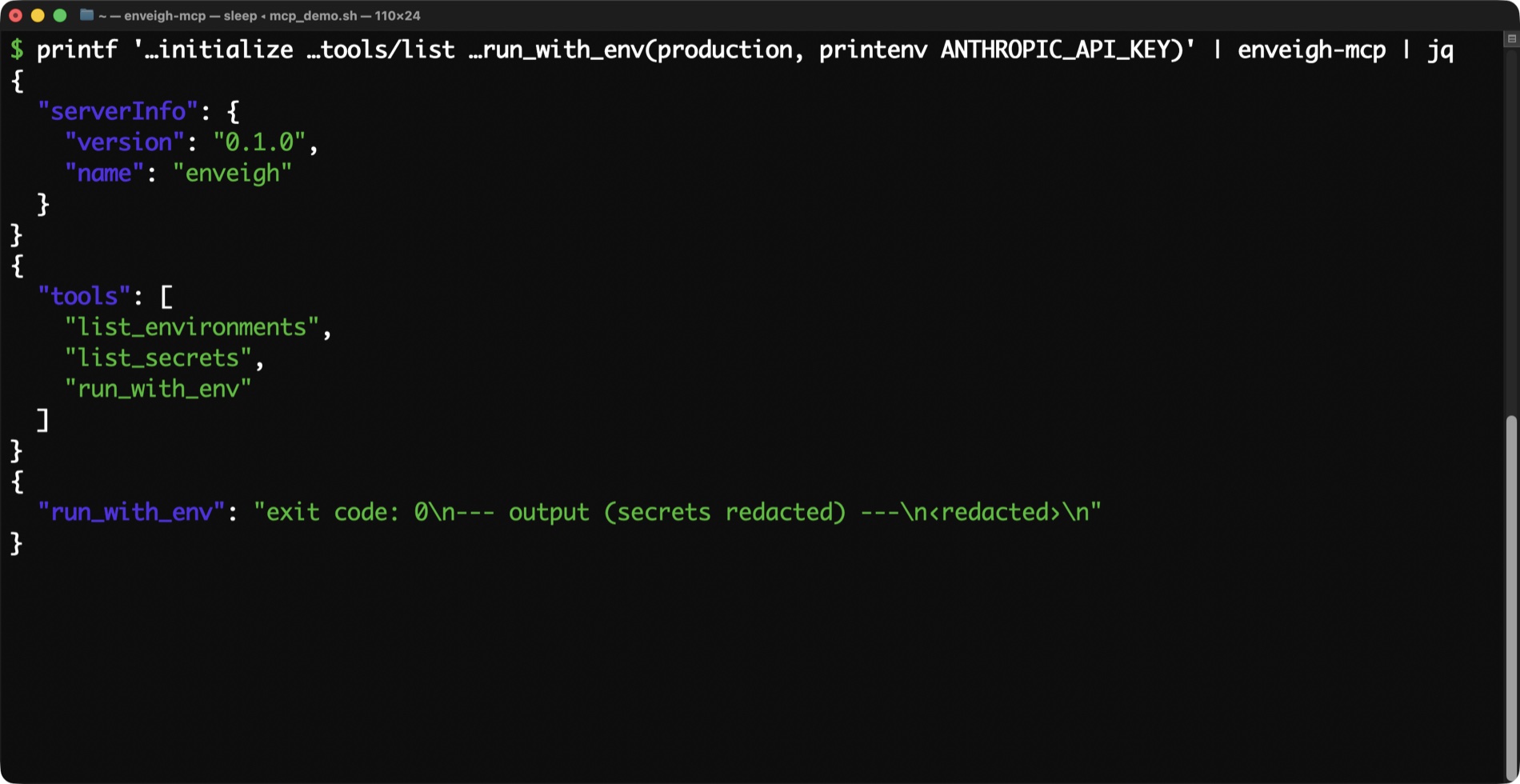
See it in motion
run_with_env and capture_secret, in a 37-second walkthrough:
Install
On Linux, run enveigh and open Agent connections; see Linux. In the Mac app: Settings → Agents, then connect each detected client (or do it in
one tap during onboarding). enveigh writes the MCP entry into that client's config and mints
a per-client token:
{
  "mcpServers": {
    "enveigh": {
      "command": "/Users/you/Library/Application Support/enveigh/bin/enveigh-mcp",
      "env": { "ENVEIGH_MCP_TOKEN": "…minted per client…" }
    }
  }
}
Each client's token is individually revocable, and saving changes rotates it (old configs stop working, so restart the client). You can scope a client to a single environment from Manage… on its row, enforced server-side by the broker, so it holds even if the client tampers with its own env.
Client permission prompts and auto mode
Every agent client puts its own permission layer in front of MCP tools, separate from enveigh's Touch ID. Claude Code's auto mode routes each call through a classifier that reads the tool's name and description, and it can block enveigh's write tools with:
enveigh - add_secret_to_environment (mcp) denied by auto modeCodex and Gemini CLI ask their own question before each call. Since the app already confirms every change with Touch ID, that second gate is redundant. Settings → Agents → Manage… → Pre-approve enveigh tools writes the client's own setting for you:
| Client | What enveigh writes | Where |
|---|---|---|
| Claude Code | "permissions": { "allow": ["mcp__enveigh"] } | ~/.claude/settings.json |
| Codex | default_tools_approval_mode = "auto" on the server table | ~/.codex/config.toml |
| Gemini CLI | "trust": true on the server entry | ~/.gemini/settings.json |
In Claude Code, allow rules resolve before the classifier runs, so the rule ends the denials. Disconnecting the client removes the setting again, and enveigh never overwrites a settings file it can't parse.
The raw-value tools are excluded on purpose. render_env and get_secret carry the
anthropic/requiresUserInteraction annotation, so Claude Code shows its full permission
prompt for them in every mode, allow rule or not, and in Codex they get a per-tool
approval_mode = "prompt" override. Every tool also carries the standard MCP hints
(readOnlyHint, destructiveHint, idempotentHint, openWorldHint) for clients that use
them, such as Codex's writes approval mode.
If you'd rather not use the toggle, add the same settings by hand; the table above is exactly what the app writes.
Tools
run_with_env(environment, command): the safe default
Runs command (an argv array) with the environment's secrets injected, and returns the
output with every secret value redacted. This is what an agent should reach for ~always.
// the agent calls:
{ "name": "run_with_env",
  "arguments": { "environment": "web", "command": ["npm", "test"] } }

// it gets back (values replaced with ‹redacted›):
// exit code: 0
// --- output (secrets redacted) ---
// > test  ·  DATABASE_URL=‹redacted›  ·  all suites passed
Output is capped (200k chars) so a runaway command can't flood the model's context, and the
child is terminated at a timeout so a hung command can't wedge the tool call forever. The
default is 10 minutes; for a build, test suite, or deploy that legitimately runs longer, the
agent passes timeout_seconds on the call (up to 21600, 6 hours). ENVEIGH_MCP_TIMEOUT_SECONDS
in the client's MCP env changes the default.
That makes this the tool for commands that finish: build, test, deploy, migrate. For a dev server or watcher, agents should background the CLI instead. See Builds & dev servers.
list_environments / list_secrets
Names only. list_secrets never returns values. A client scoped to one environment only
sees that environment's bound secrets.
import_project(directory): vault a project's keys, sight unseen
The agent sends a path; the app scans that folder's .env files and vaults any
credential-shaped keys not already in the folder's environment, bound to it. You approve via
Touch ID (the prompt names the requesting process and the exact path), and the agent gets
back key names and a summary only; values never flow toward it. Idempotent: re-running
adds only what's missing, into the same environment. Refuses / and your home directory.
The skill teaches agents the loop: run_with_env says no such environment → import_project
→ run.
capture_secret(name, value): catch a pasted key
If a user pastes a key into the chat, the agent should call this immediately. The app
shows a Touch ID confirmation ("…wants to save 'STRIPE_KEY' into your vault"). That
prompt is the user's consent. It's write-only: the agent can never read the value back.
A scoped client gets the capture bound into its environment, so the next run_with_env can
use it right away.
This pairs with the agent skill and the app's clipboard watcher to keep keys out of transcripts.
check_clipboard() / capture_clipboard(fingerprint, name?, environment?): the key you just copied
The better case is that the key never reaches the chat at all. When you copy a key from a
provider dashboard, a browser the agent is driving, or a password manager, the agent calls
check_clipboard. The app reads the clipboard and runs the same local credential detection
as its clipboard watcher; the agent gets back only a kind ("Stripe key"), the env-var name
enveigh would suggest, a masked preview (first four characters) and a fingerprint. Prose,
URLs, git hashes and enveigh's own Reveal copies come back as "nothing credential-shaped",
with no detail. No prompt.
The agent then asks you: is this the one you mean, and where does it go? On your yes it calls
capture_clipboard with the fingerprint, the agreed name and environment. The app reads the
clipboard again, refuses if it changed since the check, and shows one confirmation with the
same masked preview and destination (Touch ID, or your paired iPhone). The value goes clipboard
→ vault without passing through the model, and the clipboard is left as it was. Like
capture_secret, it is write-only. Older apps don't advertise these tools; the helper hides
them rather than offer calls that would be refused.
render_env_file(environment, path): a dotenv file, values unseen
Some tools read secrets from a file rather than env vars (a Cloudflare Workers
.dev.vars, for one). The agent names the environment and an absolute path; the app writes
the file itself, owner-only, so the values go keychain → disk without passing through the
model. It refuses a path inside a git repository unless git ignores it. The response is a
name and a count, never a value.
create_environment / delete_environment / add_secret_to_environment
Grouping tools, each confirmed in the app. create_environment(name, directory?) makes a
new environment (a no-op if it exists). add_secret_to_environment(secret, environment)
binds an existing vault secret, by name, into an environment so run_with_env can inject
it; the binding is collision-safe (a suffixed name if the env-var name is already taken by a
different secret) and idempotent. delete_environment(name) removes the grouping and its
bindings; the secrets themselves stay in the vault. None of them return a value.
render_env(environment) / get_secret(name): opt-in reveal
These return raw plaintext to the agent, so they're hidden by default. They appear only when the client was installed with reveal enabled:
ENVEIGH_MCP_ALLOW_REVEAL=1Even then, each call passes through the app's approval policy (Touch ID) and is audited, and the client itself always prompts too (see Client permission prompts). Tell agents not to use these unless you explicitly ask them to read a value.
What the agent can and can't do
| Default | With ALLOW_REVEAL=1 | |
|---|---|---|
| Run commands with secrets injected | ✅ redacted output | ✅ |
| List environment / secret names | ✅ | ✅ |
| Capture a pasted key (write-only) | ✅ Touch-ID confirmed | ✅ |
| Write a dotenv file for a tool that needs one | ✅ values never reach the model | ✅ |
| Group secrets into environments | ✅ app confirmed | ✅ |
| Read a raw value | ❌ tool not even exposed | ⚠️ Touch-ID gated + audited + client prompt |
Agent skill
Installing the agent skill (Settings → Agents → Install the agent skill) drops a
SKILL.md into your agents' skill directories. It teaches them to:
- prefer
run_with_envover fetching raw values, - never write secret values to files, logs, or messages,
- call
capture_secretthe moment a user pastes a key, then stop using the pasted value and suggest rotating it, - when the key is on the clipboard instead, call
check_clipboard, confirm with the user, thencapture_clipboard; never ask the user to paste a key that is already on the clipboard.
Try it by hand
The server speaks line-delimited JSON-RPC on stdio, so you can drive it directly:
HELPER="$HOME/Library/Application Support/enveigh/bin/enveigh-mcp"
printf '%s\n%s\n' \
  '{"jsonrpc":"2.0","id":1,"method":"initialize"}' \
  '{"jsonrpc":"2.0","id":2,"method":"tools/list"}' | "$HELPER"
With no ENVEIGH_MCP_ALLOW_REVEAL, you'll see nine tools (run_with_env, the two list
tools, import_project, capture_secret, render_env_file, and the three environment
tools), each with an annotations block, and no render_env / get_secret. That's the
gate working.